October 19, 2026 · 8 min read
Next.js SEO Checklist for the App Router: 10 Steps With Live Code
A 10-step Next.js SEO checklist for the App Router: metadata, canonicals, sitemap.ts, robots.ts, JSON-LD, share images and llms.txt, with live code.
Hasnain IrfanSenior Software Engineer · Remote for US, UK & UAE teams
To make a Next.js App Router site rank, you need ten things in place: a metadataBase and title template, unique titles and descriptions per page, canonical URLs, a sitemap.ts, a robots.ts, JSON-LD structured data, share images, server-rendered content, and a clean heading structure, plus an llms.txt for AI search. Next.js has a built-in API for almost all of them. This checklist walks through each one with the code I run on hasnainirfan.com, so you can see every step working on a live site.
Key takeaways
- The App Router's Metadata API (
export const metadataorgenerateMetadata) replaces hand-written<head>tags. SetmetadataBaseonce in the root layout and use relative URLs everywhere else. app/sitemap.tsandapp/robots.tsgenerate/sitemap.xmland/robots.txtfrom code, so new pages and blog posts appear without manual edits.- JSON-LD goes in a
<script type="application/ld+json">tag inside the page, with<escaped as<, as the Next.js docs recommend. - Share images can be drawn at build time with
ImageResponsefromnext/og, one per page. llms.txtis a plain-text map of your site for AI assistants. It is a proposed standard (llmstxt.org), not a ranking factor, but it is cheap to add.
What does the Next.js SEO checklist cover?
It covers the technical layer: what search engines and AI answer engines read before they decide what your page is about. Content and links still matter more for rankings, but if this layer is broken, good content can stay invisible. Each item below names the Next.js file or API involved, so you can check your own project in a few minutes.
| # | Item | Where it lives in the App Router |
|---|---|---|
| 1 | Base URL and title template | app/layout.tsx → metadata |
| 2 | Unique title and description per page | metadata / generateMetadata in each page.tsx |
| 3 | Canonical URL | alternates.canonical |
| 4 | Sitemap | app/sitemap.ts |
| 5 | Robots rules | app/robots.ts |
| 6 | Structured data (JSON-LD) | <script type="application/ld+json"> in the page |
| 7 | Share (Open Graph) images | opengraph-image.tsx or a route using ImageResponse |
| 8 | Server-rendered content | Server Components, static or ISR pages |
| 9 | One H1 and logical headings | Your page markup |
| 10 | llms.txt for AI search | A route handler at app/llms.txt/route.ts |
1. How do you set a base URL and title template?
Set metadataBase and a title.template in the root layout. metadataBase lets every other metadata field use a relative path such as /og/home, and the template adds your brand to each page title automatically.
// app/layout.tsx
export const metadata: Metadata = {
  metadataBase: new URL('https://www.hasnainirfan.com'),
  title: { default: 'Hire a Senior Next.js & React Developer | Hasnain Irfan', template: '%s | Hasnain Irfan' },
  robots: { index: true, follow: true, googleBot: { 'max-image-preview': 'large', 'max-snippet': -1 } },
};
The googleBot options allow large image previews and full-length snippets in Google's results.
2. Does every page need its own title and description?
Yes. Each page.tsx should export its own metadata (or generateMetadata for dynamic routes such as blog posts) with a title of about 60 characters and a description of roughly 120–160 characters. Put the main keyword early in the title. On this site, /work is "Next.js & React Projects | Hasnain Irfan Portfolio" and /blog uses title: { absolute: ... } so the template doesn't add the name twice.
For dynamic pages, generateMetadata reads the same data the page renders:
export async function generateMetadata({ params }: { params: Promise<{ slug: string }> }): Promise<Metadata> {
  const post = await getPost((await params).slug);
  return { title: post.seo_title || post.title, description: post.description, alternates: { canonical: `/blog/${post.slug}` } };
}
3. Why set a canonical URL on every page?
A canonical URL tells search engines which address is the real one when the same page is reachable in several ways: with and without www, with tracking parameters, or with a trailing slash. In the App Router it is one line, alternates: { canonical: '/contact' }, and metadataBase turns it into a full URL. Every page on hasnainirfan.com points to itself on the www host.
4. How do you generate a sitemap in Next.js?
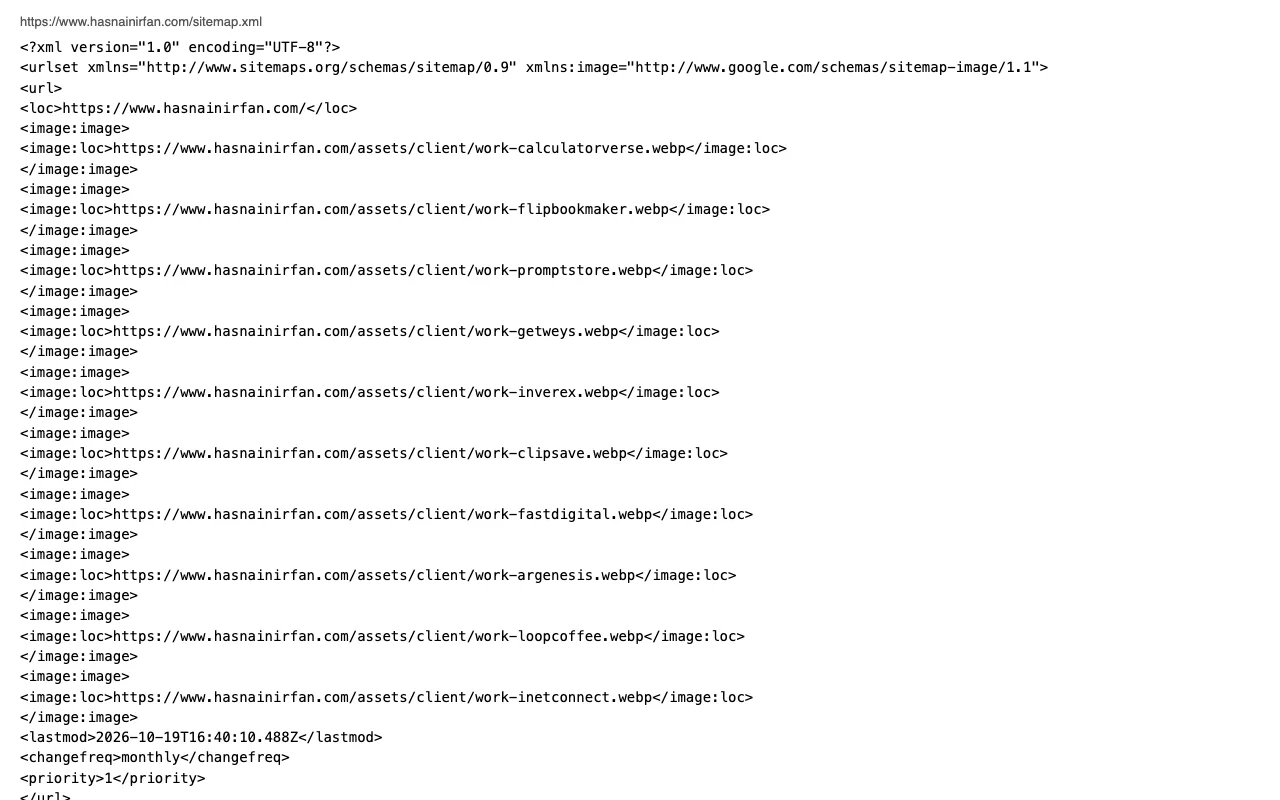
Create app/sitemap.ts and return an array of URLs. Next.js serves it at /sitemap.xml. Because it is code, you can pull in blog posts from your database and revalidate it on a timer:
// app/sitemap.ts
export const revalidate = 3600;
export default async function sitemap(): Promise<MetadataRoute.Sitemap> {
  const posts = await livePosts();
  return [
    { url: abs('/'), changeFrequency: 'monthly', priority: 1 },
    ...posts.map(p => ({ url: abs(`/blog/${p.slug}`), lastModified: new Date(p.updated_at), images: p.hero_image_url ? [p.hero_image_url] : undefined })),
  ];
}
Leave out pages that are noindex, and use the date the content really changed for lastModified (for example updated_at from your database) whenever you have one.
5. What should robots.ts contain?
app/robots.ts returns your crawl rules and the sitemap's address. Block private areas such as an admin panel and API routes, and allow everything else:
export default function robots(): MetadataRoute.Robots {
  return { rules: [{ userAgent: '*', allow: '/', disallow: ['/admin', '/api/'] }], sitemap: 'https://www.hasnainirfan.com/sitemap.xml' };
}
Blocking a page in robots.txt stops crawling, not indexing. To keep a page out of results, use robots: { index: false } in its metadata instead.
6. How do you add JSON-LD structured data in the App Router?
Render a <script type="application/ld+json"> tag in the page component. The Next.js JSON-LD guide recommends this approach and warns that JSON.stringify does not sanitize HTML, so replace < with <:
<script type="application/ld+json" dangerouslySetInnerHTML={{ __html: JSON.stringify(ld).replace(/</g, '\\u003c') }} />Pick schema types that describe the page honestly. This site uses Person and ProfessionalService on the home page, ContactPage and FAQPage on the contact page, and BlogPosting, BreadcrumbList and FAQPage on posts. Google explains which types can earn rich results in its structured data introduction. Only mark up what is visible on the page.
7. How do you make share images without a design tool?
Use ImageResponse from next/og to draw a 1200×630 image from JSX, either in an opengraph-image.tsx file next to the page or in a route handler. Each page on this site has its own card (/og/home, /og/about, /og/work, /og/contact, /og/blog), built at deploy time with export const dynamic = 'force-static', and referenced in openGraph.images. A good card makes your link stand out when it is shared on LinkedIn, X or Slack. It doesn't change rankings directly.
8. Is your content server-rendered?
Search engines can run JavaScript, but content that arrives in the first HTML response is the safest bet, and Vercel's analysis of AI crawlers (December 2024) found that the major ones, including GPTBot, ClaudeBot and PerplexityBot, don't render JavaScript at all. In the App Router, pages are Server Components by default. Keep your main text, headings and links out of client-only effects. Use export const dynamic = 'force-static' or revalidate for pages that change rarely. To check, open the page source (not DevTools) and search for a sentence from your page.
9. Do your headings make sense?
Use one <h1> per page that says what the page is about, then <h2>/<h3> in order. A clever headline is fine, but give it the keyword too. During an audit of this site, "Have an idea? Let's ship it." became "Hire a Next.js developer. Let's ship your idea." on the contact page. Question-style subheadings, like the ones in this post, are also easy for AI answer engines to quote.
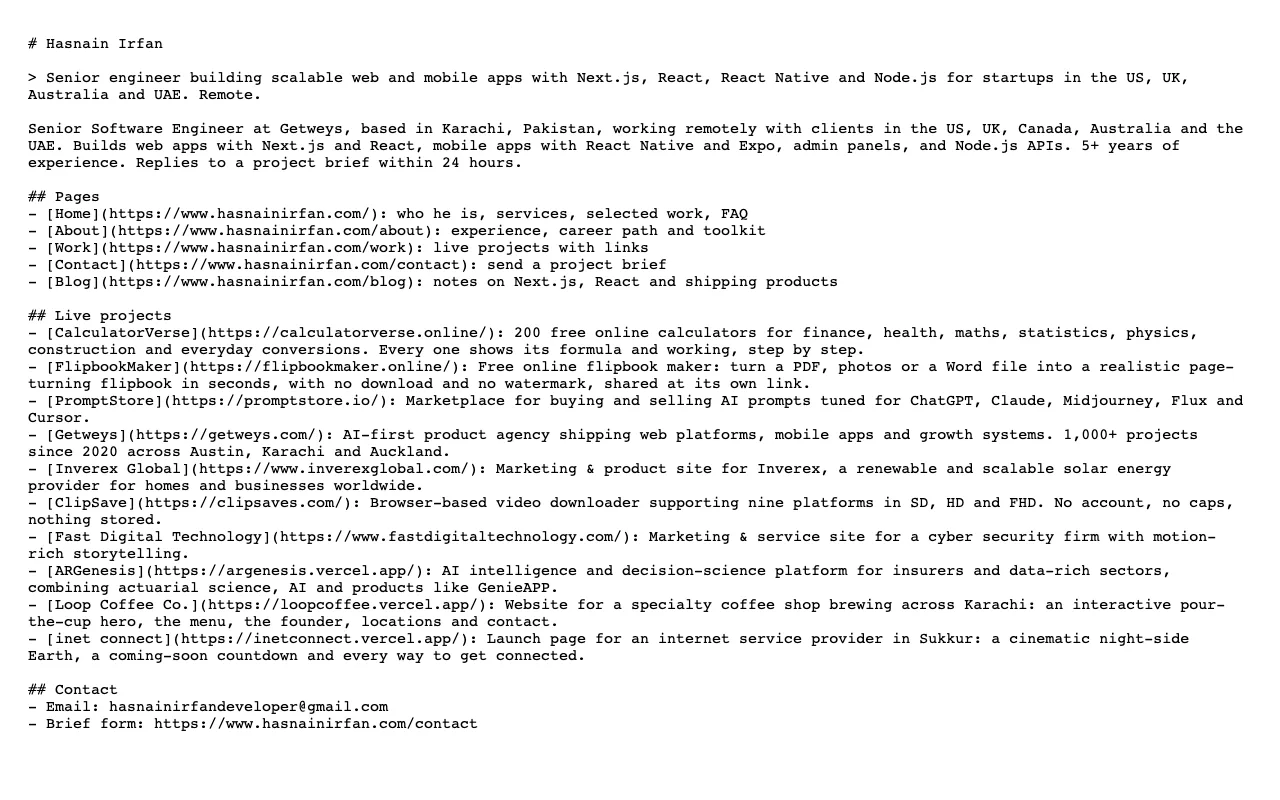
10. What is llms.txt and should you add one?
llms.txt is a Markdown file at the root of a site that summarizes it and links its key pages for large language models. It was proposed at llmstxt.org. As of October 2026 it is a proposal, not a confirmed ranking or citation signal for Google, so treat it as a low-cost extra. In Next.js, a route handler can build it from the same content as your pages, so it never goes stale:
// app/llms.txt/route.ts
export const revalidate = 3600;
export async function GET() {
  const posts = await livePosts();
  const body = `# Hasnain Irfan\n\n> Senior engineer building web and mobile apps with Next.js, React and Node.js.\n\n## Pages\n- [Work](https://www.hasnainirfan.com/work): live projects\n${posts.map(p => `- [${p.title}](https://www.hasnainirfan.com/blog/${p.slug})`).join('\n')}`;
  return new Response(body, { headers: { 'Content-Type': 'text/plain; charset=utf-8' } });
}
How do you check that it all works?
Check the live site, not your local build:
- Request each page and confirm a
200status with no redirect chain. - View the source and confirm the
<title>, meta description, canonical link and JSON-LD. - Open
/sitemap.xmland/robots.txtand confirm every public page is listed and nothing private is. - Paste a URL into Google's Rich Results Test to validate the structured data.
- Submit the sitemap in Google Search Console and Bing Webmaster Tools, then watch the Pages report over the next few weeks.
Summary
Next.js gives you a file or API for almost every technical SEO task: the Metadata API for titles, descriptions and canonicals; sitemap.ts and robots.ts for crawling; a script tag for JSON-LD; ImageResponse for share cards; and route handlers for extras like llms.txt. Set them up once in code and every new page inherits them.
If you'd rather have this set up for you on a new or existing product, I build Next.js and React apps for startups and agencies, with SEO built in from the first commit. Send a brief and I'll reply within 24 hours. If you're budgeting first, see how much it costs to hire a Next.js developer.
Questions
Is Next.js good for SEO?
Yes. The App Router renders pages on the server by default and has built-in APIs for metadata, canonical URLs, sitemaps, robots rules and share images, so search engines get complete HTML on the first request.
How do I add meta tags in the Next.js App Router?
Export a metadata object, or a generateMetadata function for dynamic routes, from a page.tsx or layout.tsx file. Next.js turns it into the title, description, canonical and Open Graph tags in the page head.
How do I create a sitemap in Next.js?
Add app/sitemap.ts that returns an array of URLs with optional lastModified, changeFrequency and priority. Next.js serves it at /sitemap.xml, and you can include database content such as blog posts and revalidate it on a timer.
How do I add JSON-LD structured data in Next.js?
Render a script tag with type application/ld+json in your page component and pass it JSON.stringify of your schema object, replacing the < character with \u003c as the Next.js docs recommend.
Does llms.txt help SEO?
Not directly. llms.txt is a proposed standard from llmstxt.org that gives AI assistants a plain-text map of your site. As of October 2026 it is not a confirmed ranking or citation signal, but it is cheap to add.
Keep reading